002 — Bindless Textures, Materials and Animated UVs
Textures that can be destroyed safely, materials that know what they use, and UVs that move
Six months without a devlog. The engine kept moving in the meantime, and a lot of work landed that never made it here.
InGa now has more than one renderer: SOLID, the one from the first devlog, and ARAL, a new one (maybe a third later, nothing decided). ARAL was built step by step, each step checked visually before the next:
- HDR render target and depth, render scale and multi-viewport, resize
- MSAA (up to 8×) with resolve
- debug overlay (FPS, console) moved out of the renderers, per window
- buffer device address and a per-frame UBO
- a minimal scene: scene graph, scene objects, generational ids
- transforms, instances and materials on the GPU, then textures
There was also IGS, a scripting language for InGa. I also took Blender lessons: the ruins scene used in the captures below is my own, modeled in Blender.
Catching up on all of it isn't realistic, so this post covers the last part of that list: textures and materials. That part took two days of work, for something that looks like "a textured cube". Here's what's underneath.
What was implemented
- Bindless textures (Vulkan 1.3 descriptor indexing)
- one
texture2D gTextures[]array,PARTIALLY_BOUND | UPDATE_AFTER_BIND - 10 immutable samplers next to it (repeat / clamp / mirror, nearest / linear…)
- the bindless index is the CPU texture index, no translation table
- one
- Default textures, always present and indestructible
0checkerboard 32×32 — the error texture1white,2flat normal,3black- every material slot starts with its neutral texture; an explicit invalid id gives the checkerboard
- Safe texture lifetime
- each texture counts the materials using it:
destroyTextureis refused while the count is not zero - freed slots are retired for a few frames before reuse (the GPU may still read them)
- texture ids are generational: an old id is refused even when its slot was recycled
- each texture counts the materials using it:
- UV animation (scroll + rotation, glTF
KHR_texture_transformconvention)- per material: scroll speed, rotation speed, pivot (
ORIGIN/CENTER), and a mask choosing which slots move - computed in the shader from the frame time, no CPU update per frame
- per material: scroll speed, rotation speed, pivot (
- glTF: embedded images, samplers, texture transforms
- Mipmaps: generated at load, averaged in linear space for sRGB textures
Step by step
The ARAL renderer did not get textures in one go. Each step had to be visible before the next one.
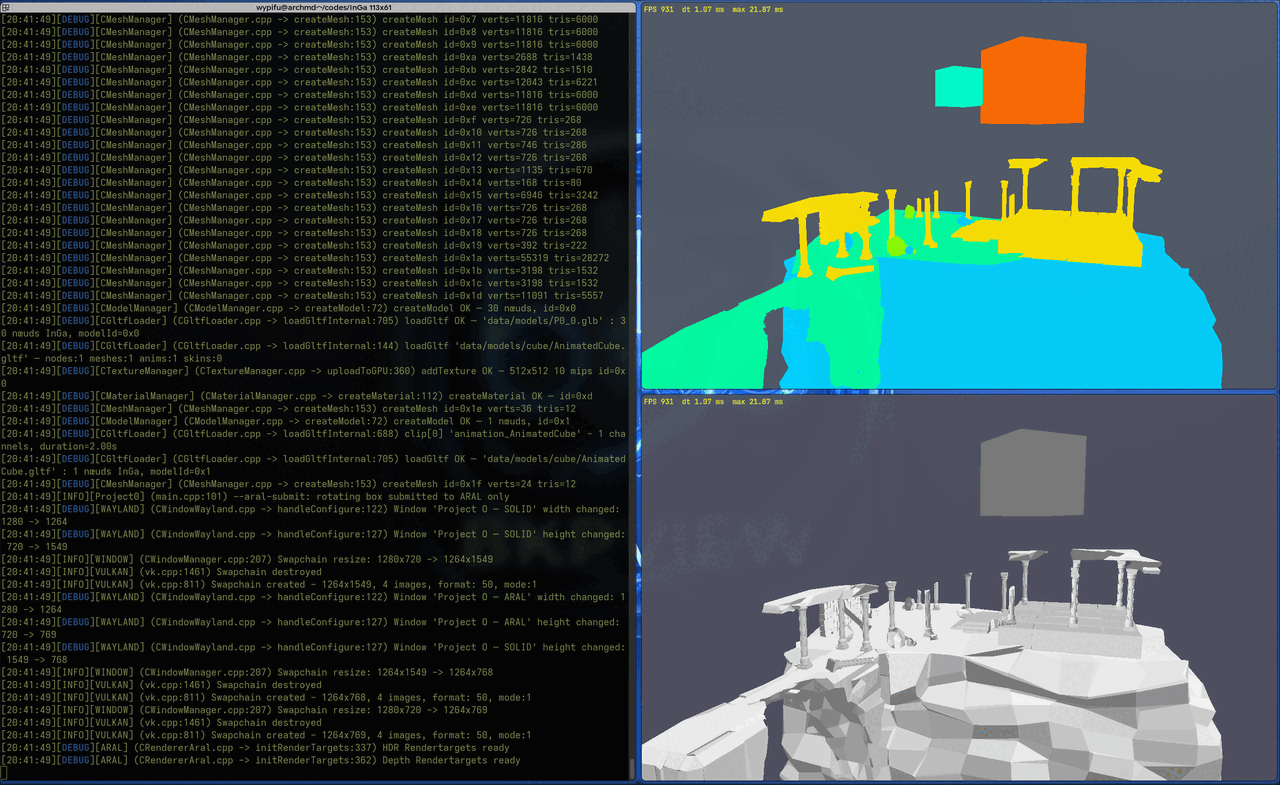
1. One color per material. The SOLID renderer (bottom, Phong, one color for everything) and ARAL (top) run side by side on the same scene. ARAL gives each material its own flat color: if two parts of the ruins share a color, they share a material. That's the check that the glTF materials are read and indexed correctly before any texture is involved.
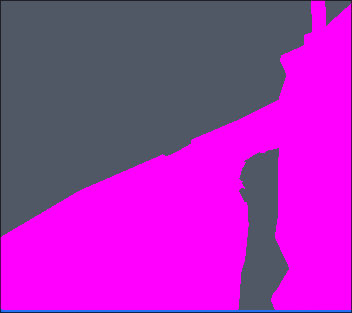
2. Magenta. The first default material: every mesh without a material of its own was drawn in plain magenta. Later, magenta moved to the error side — it is now the color of the checkerboard, the texture you get when a material points at something invalid.
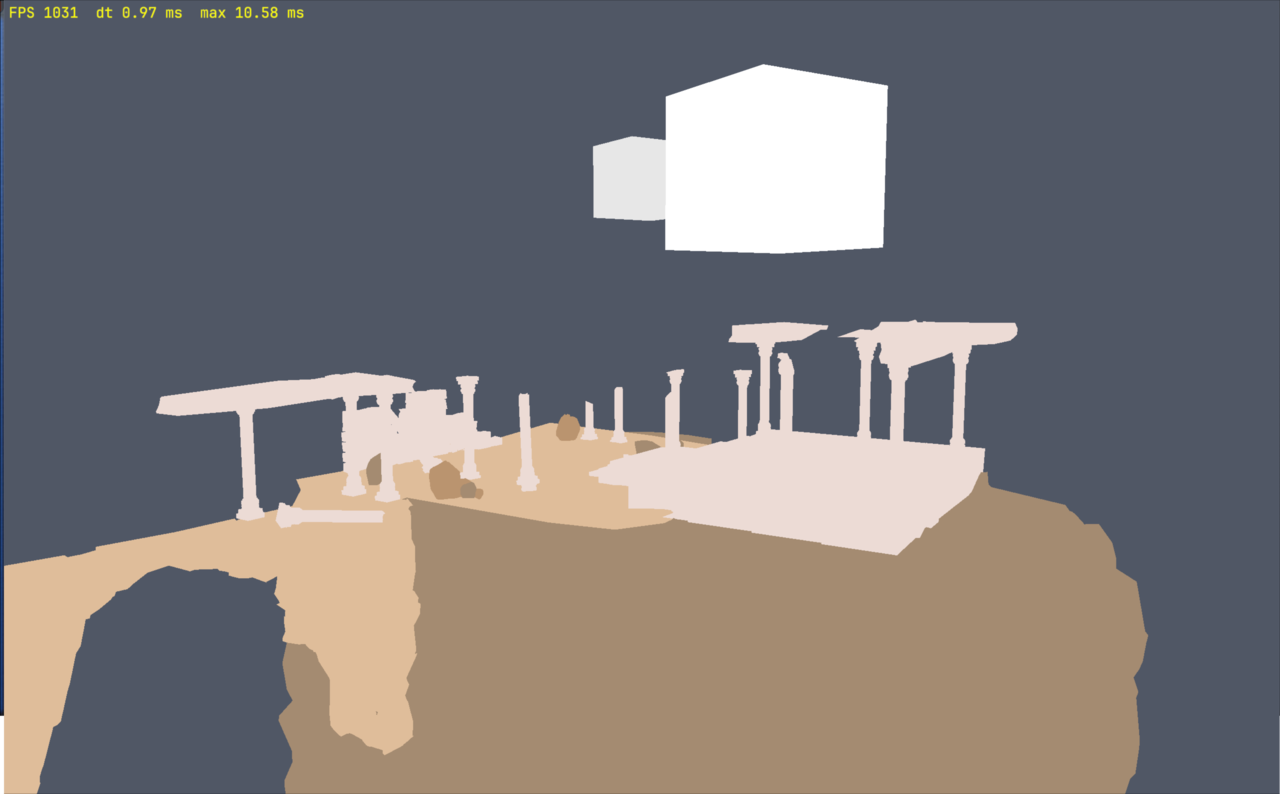
3. Blender albedo. The base colors set in Blender now come through the material
(albedoValue, multiplied by the albedo texture — here the default white one).
Still unlit: lighting comes later with Clustered Forward+.
For reference, the same scene in Blender (minimal EEVEE render, sun only, no sky): that's the target for the lighting steps.
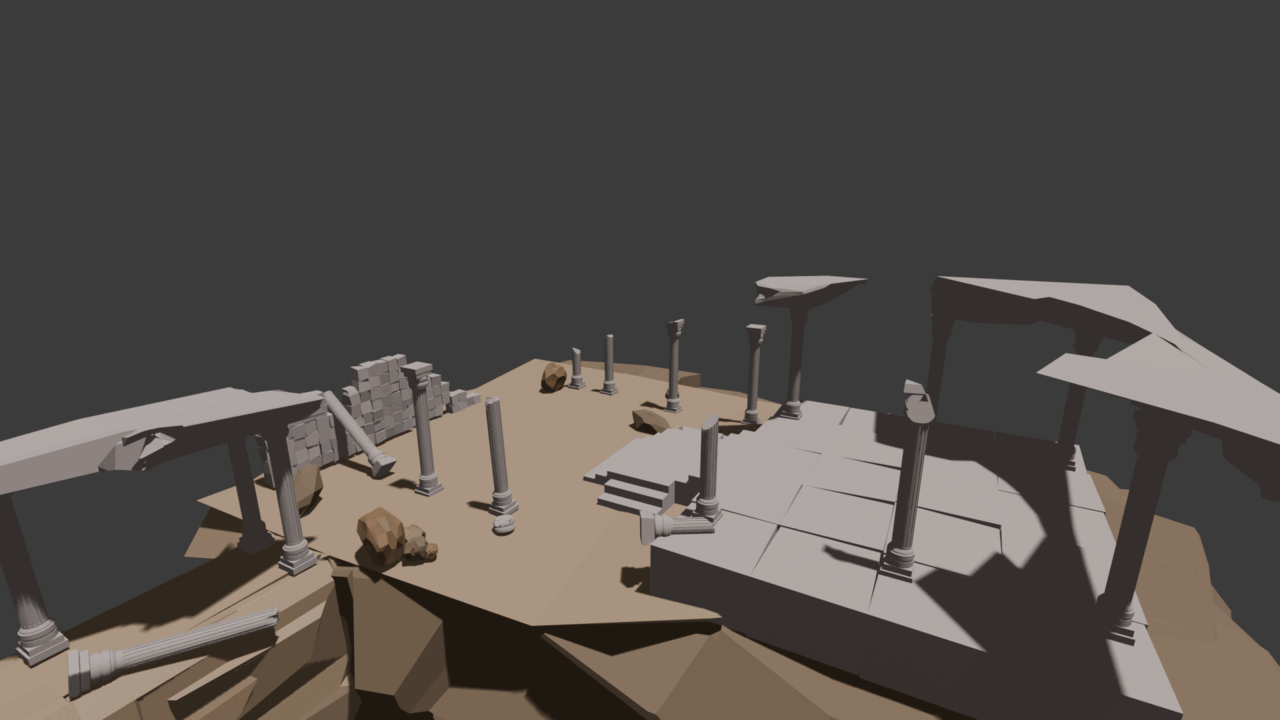
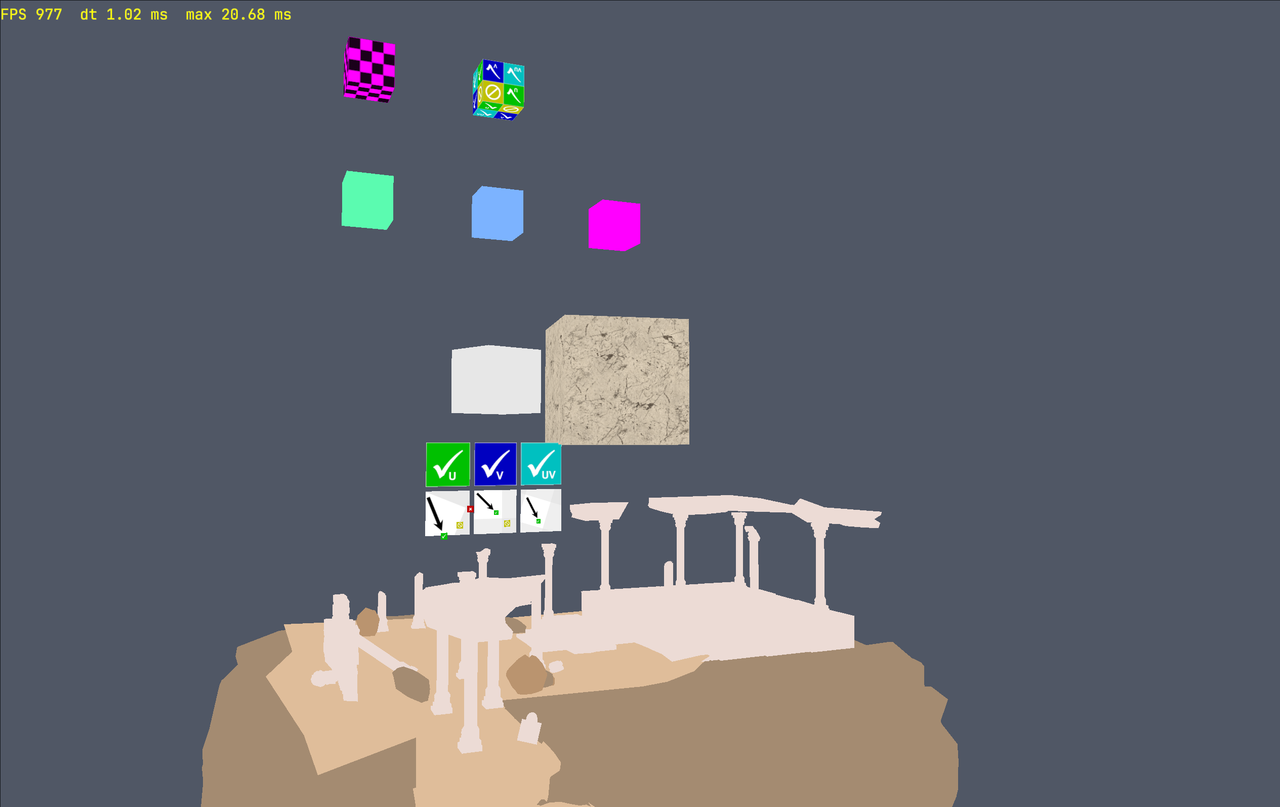
4. Textures, materials and their tests. The final capture (the one at the top of the post):
- top left: a material pointing at a destroyed texture → checkerboard (magenta/black);
- top center:
UV.png(from the KhronosTextureTransformTestsample) in the slot recycled from that destroyed texture; - middle row: the
--mat-testcubes (materials created, updated and destroyed while running); - a white cube and a marble-textured cube;
- the Khronos
TextureTransformTest: top row must show checks, and each arrow must point at the green mark (not the red or yellow one).
The same scene running: animated UVs and --mat-test materials changing color.
Usage
Animate only the albedo of a material, rotating around its center:
Inga::SMaterial m = baseMaterial;
m.uvRotationSpeed = 1.0f;                    // rad/s
m.uvPivot         = Inga::EUvPivot::eCENTER;
m.uvAnimMask      = (U8)(1u << (U8)Inga::ETextureSlot::eALBEDO);
engine.updateMaterial(materialId, m);
Texture lifetime is explicit, and the engine refuses what would be dangerous:
U32 tex = engine.addTextureFromFile("data/models/TextureTransformTest/UV.png",
                                    Inga::EImageFormat::eRGBA8);
desc.textures[(U8)Inga::ETextureSlot::eALBEDO].textureId = tex;
U32 mat = engine.createMaterial(desc);

engine.destroyTexture(tex);   // refused: still used by 1 material
engine.destroyMaterial(mat);
engine.destroyTexture(tex);   // accepted
How it was tested
A --tex-test mode in ProjectO runs the whole lifecycle: default texture refused,
used texture refused, stale texture → checkerboard, slot recycled with a new generation,
old id refused after recycling. Result: 10 PASS / 0 FAIL, no CPU leak, 0 GPU allocation alive at shutdown.
A uv-test cycles through 5 phases on the Khronos TextureTransformTest model:
scroll, rotation around center, rotation around corner, animation on the normal slot only
(nothing must move on screen), and no animation.
Little problems
- Mipmaps getting darker from far away. sRGB pixels were averaged as stored values.
Black + white gave 127, which displays much darker than mid-grey. Now the average
is done in linear space (lookup table, no
powper pixel): it gives 188, which looks right. - Two errors for one mistake — on purpose. A material pointing at a destroyed texture logs on the texture side and on the material side. One error alone: the texture is wrong. Both: a material references an invalid texture, and you know which one to fix.
Tested on
AMD RX 6800 (RADV), Linux / Wayland.
Next step
Tonemapping: the ARAL renderer already renders in HDR (R16G16B16A16_SFLOAT); time to bring it to the screen properly.